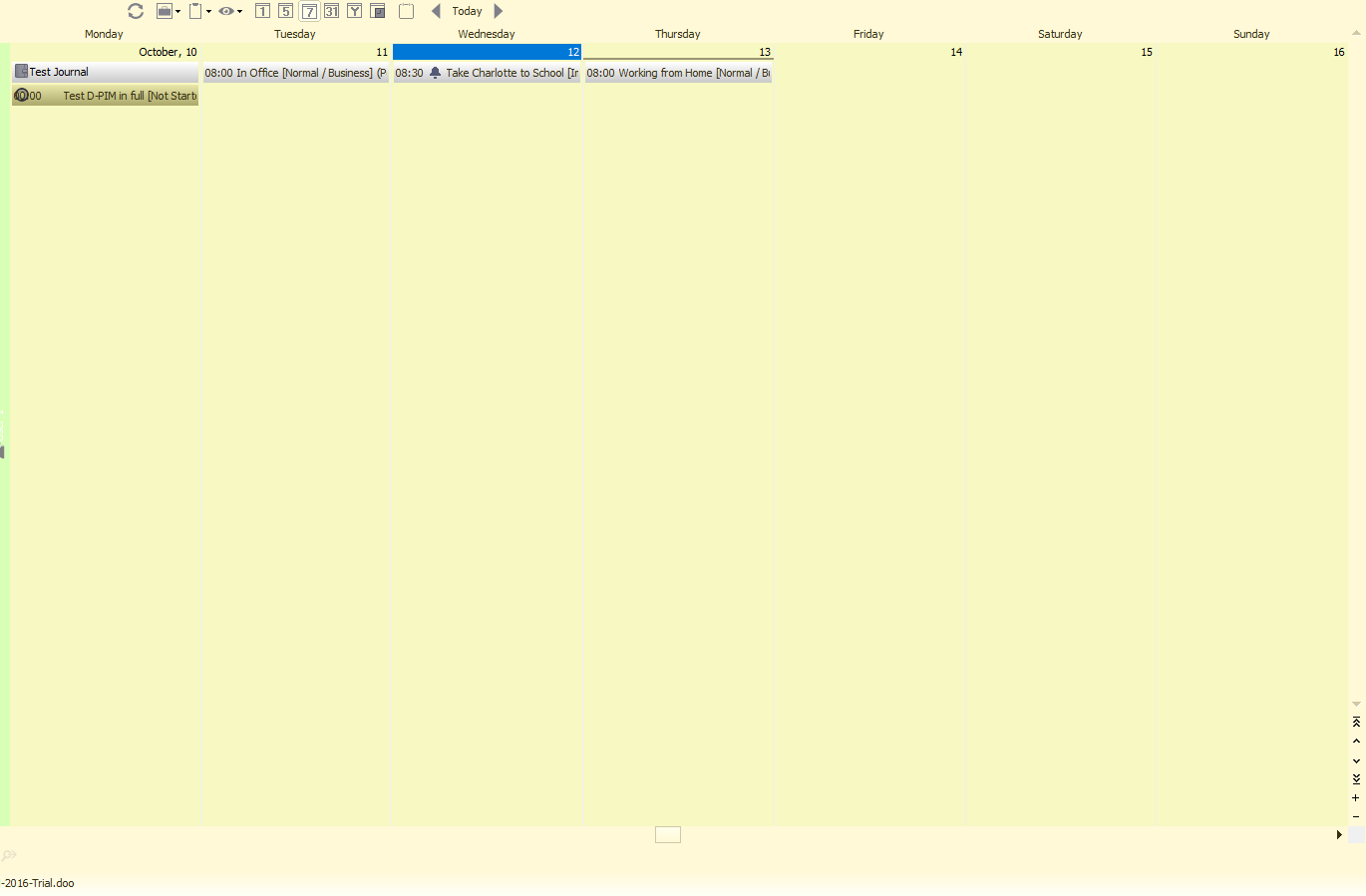
Calendar 7 day view does not show gridlines
When selecting the 7-day view in Calendar, no grid lines
show
v1.0.3

-
 BiteSpire
- State changed from new to open
- Milestone changed from Version 1.0.2016.88 to 1.0.3
The grid lines are actually there, but they are a light grey colour making it hard to actually see them.
I'll add this observation fix for the next build to automatically darken the lines when using a light theme and lighten the lines when using a dark theme. -
 John Hinckley
Changing the colour scheme around makes no difference. Also, the appointments are all showing as headers along the top rather than spread out between the actual start and end times (like they are in the 5 day view).
The 7 day view needs to be exactly the same as the 5 day view, only with 7 days instead of 5.
Thanks again.
John. -
BiteSpire
The solution would then be to edit the Resource details. Set the working week to all 7 days instead of Monday to Friday. Now when you click on the [5] Working Week icon it will show you 7 days, but with a vertical time-grid for each day.
How to do this:
1. Right-click in the calendar area and choose "Edit Resource Details".
2. Choose "Calendar" from the small tree.
3. Tick each Day of Week.
4. Click [Save]PS. Did you know you can left-click and drag a selection of days from the small calendars on the left side to display that many days in the main display.
-
John Hinckley
Thanks, but this then takes away my 'Working Week' view.
I need a 5 day working week, and a 7 day view really, so this isn't a permanent solution. Sorry.
-
BiteSpire
- State changed from open to resolved
Version 1.0.3.1 build now has a 7 day timebar view instead of the old style week view.
Latest builds are available here: https://bitespire.com/community/conversation/post/118
Please Sign in or create a free account to add a new ticket.
With your very own profile, you can contribute to projects, track your activity, watch tickets, receive and update tickets through your email and much more.